Can I use WitnessWork on iPhone or iPad without the App Store?
この回答はまだ翻訳されていないため、英語で表示しています。
Yes. Add the WitnessWork web app to your Home Screen from Safari. It's the full app, and it opens in its own window like any other app. Use this if WitnessWork isn't in the App Store where you live, or if you'd rather not install it from there.
Add it to your Home Screen
In the pictures, a red box shows what to tap.
Open Safari and go to app.witnesswork.app. Wait for the Sign In to WitnessWork screen.
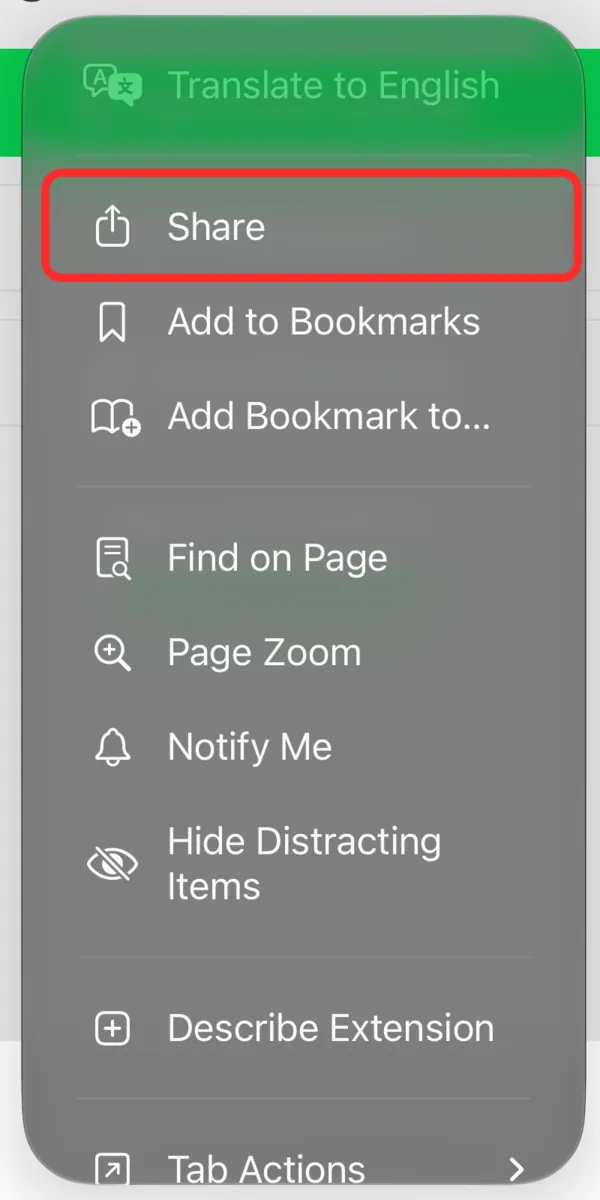
Tap the menu button at the left of the address bar, the three lines. Then tap Share. On older iPhones, tap Share at the bottom of the screen.
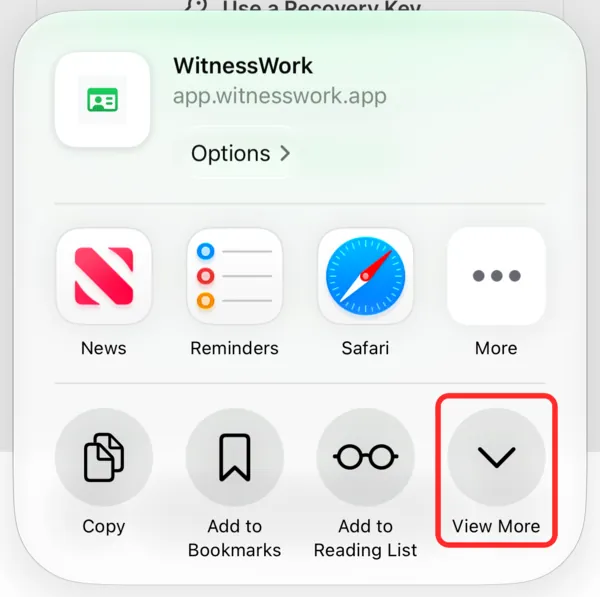
Tap View More.
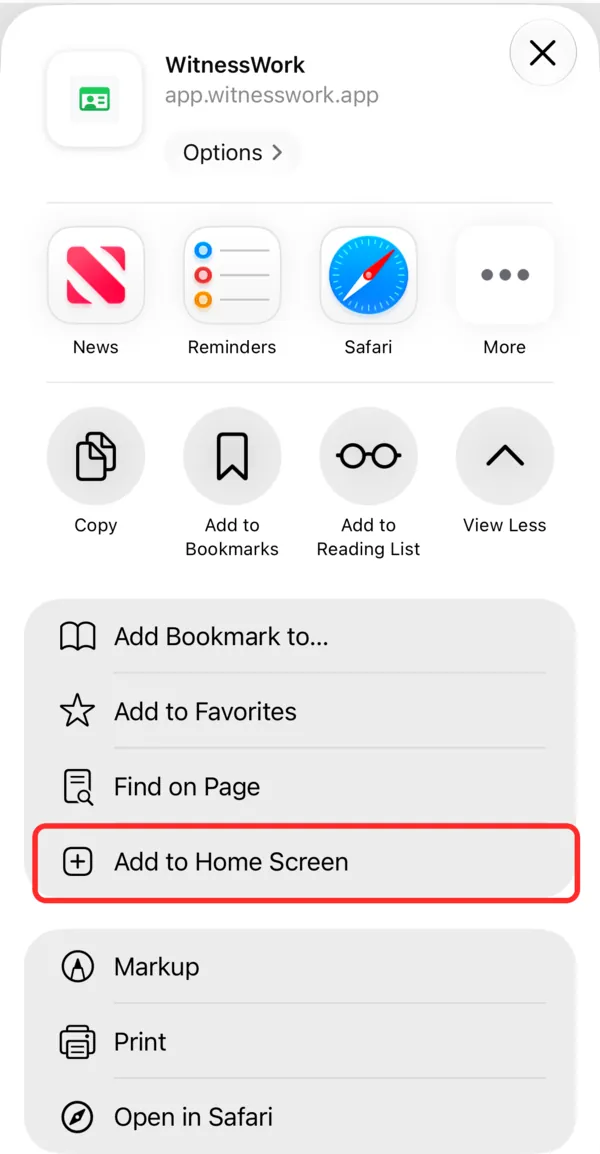
Tap Add to Home Screen.
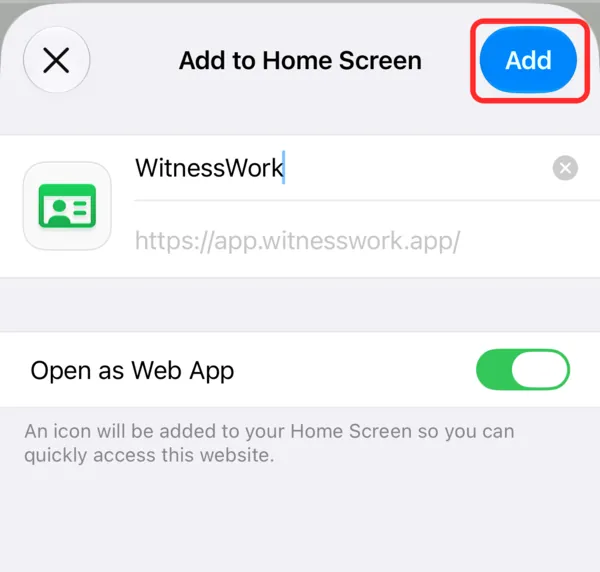
Leave Open as Web App on, and tap Add.
Open WitnessWork from your Home Screen. If you're new, tap Create an Account. If you already use WitnessWork, sign in.
Good to know
Always open WitnessWork from its Home Screen icon. Safari erases a website's data after 7 days without a visit, but a web app on your Home Screen keeps it.
It can't send reminders or notifications. See what the web app doesn't have.
To move your records over, see bring your records into the web app.
On Android? See getting WitnessWork on Android without Google Play.