Install WitnessWork on Android from Chrome
此回答尚未翻譯,因此以英文顯示。
Install the full, free WitnessWork app on your Android phone straight from Chrome. It adds a WitnessWork icon to your Home screen and opens in its own window, just like any other app.
Use these steps if WitnessWork isn't in Google Play where you live, including the United States.
Installation instructions
In the pictures, a red box shows what to tap.
Open Chrome on your Android phone and go to app.witnesswork.app. Wait for the Sign In to WitnessWork screen to load.
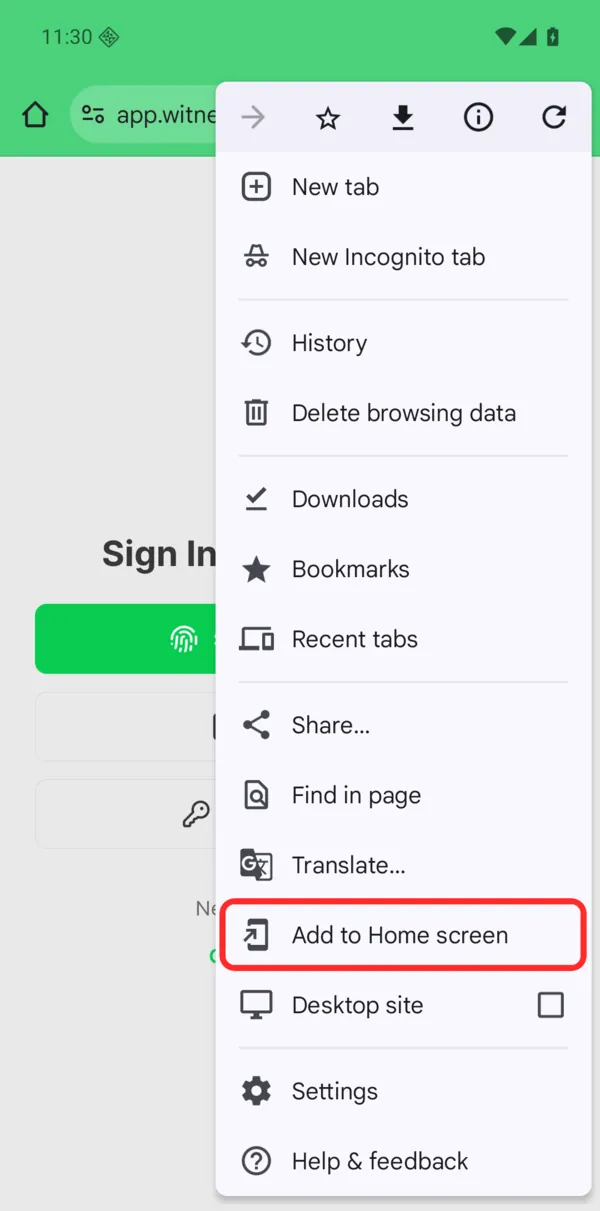
Tap Chrome's menu (the three dots at the top right), then tap Add to Home screen. Some phones show Install app instead.
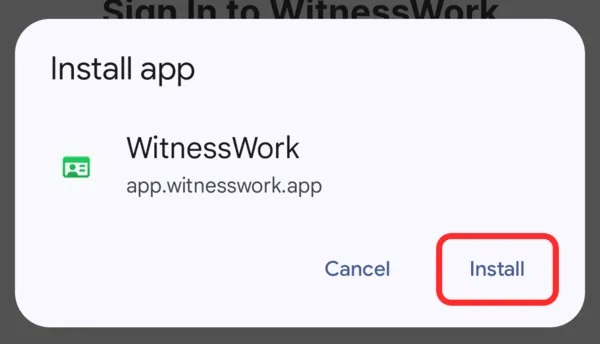
Tap Install. If your phone asks again, tap Add to home screen.
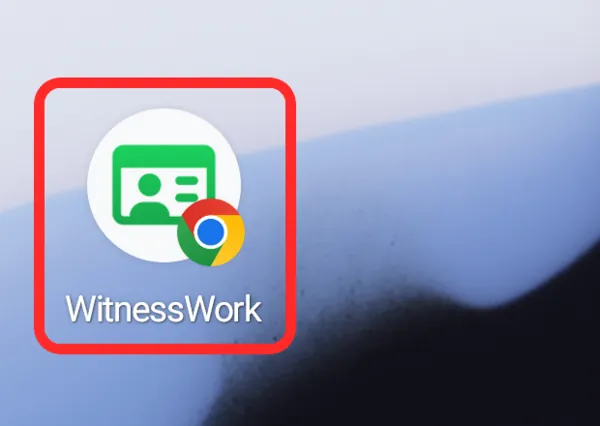
Close the Chrome tab, then open WitnessWork from your Home screen or app list.
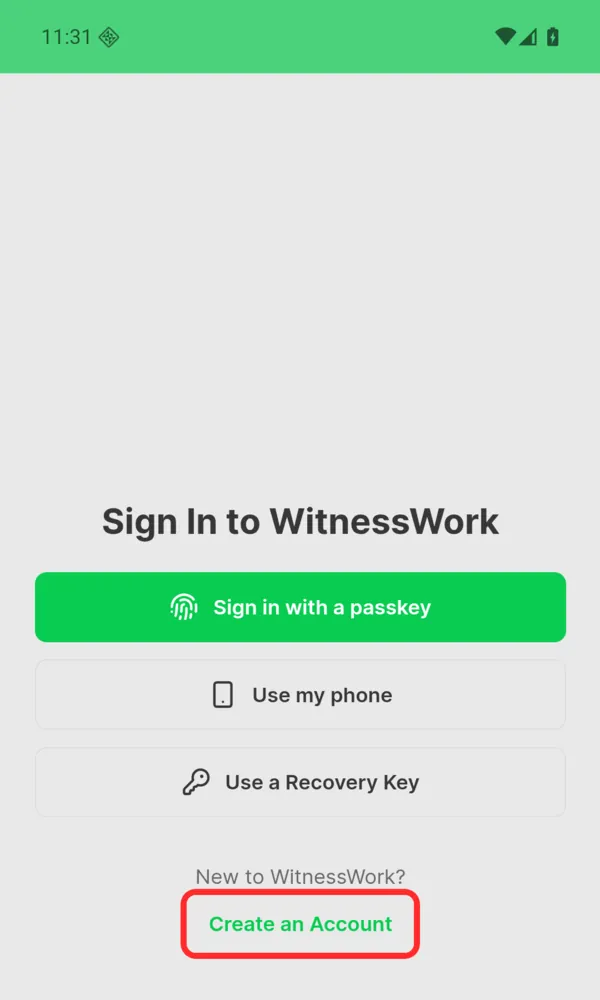
WitnessWork opens in its own window. Tap Create an Account if you're new, or sign in if you already use WitnessWork. See bring your records into the web app.
You may also see an Install App banner at the top of the page in Chrome. Tapping Install there does the same thing as steps 2 and 3.
Good to know
Always open WitnessWork from its Home screen icon. Your records are saved on your phone, so it works offline and syncs when you're back online.
Updates arrive automatically. When a new version is ready, tap Reload. See getting the latest version.
Reminders and phone notifications aren't available in the web app. See what the web app doesn't have.
Don't clear Chrome's site data for app.witnesswork.app. That signs you out on this phone and removes any changes that haven't synced yet.
Using an iPhone or iPad? See using WitnessWork without the App Store.
If something goes wrong
It says WitnessWork Is Open in Another Tab: tap Use Here, then close WitnessWork in Chrome. WitnessWork runs in one window at a time.
There's no Add to Home screen or Install app in the menu: see Why can't I install WitnessWork on my phone?.