Does the app submit my service report for me?
No. WitnessWork prepares your report, and you choose how to send it.
Send your report
On Home, tap Submit on the Service Report card. Or open the month's Field Service Report.
Under the report, tap Submission method and choose how you send it: copy it, share it, or open it in Hourglass or NW Publisher.
Tap the green Submit button below it.
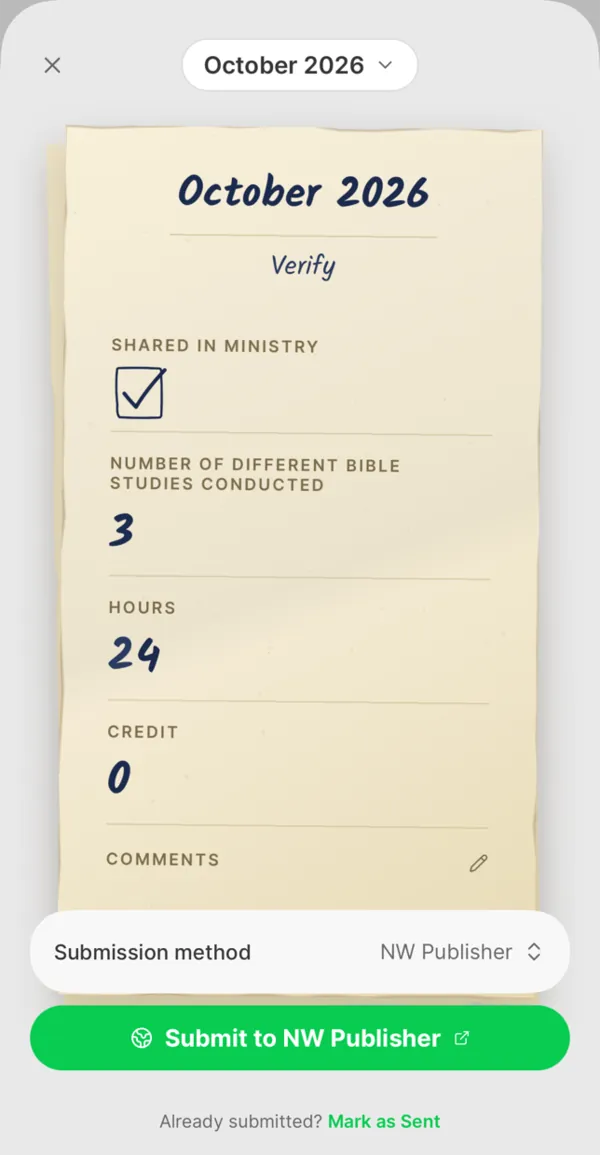
The report then shows Sent with the date. Already sent it another way? Tap Mark as Sent under the button.
Good to know
Hourglass and NW Publisher open with your hours, Credit and Bible studies filled in. Check them and send from there.
Hourglass gets your Credit in the report comment. If you change the comment, check that it still says what you need.
NW Publisher only accepts last month's report.
WitnessWork remembers your choice. To change it, open Settings → Profile → Submission method.
Already reported another way? Touch and hold the Submit row on Home and choose Already Submitted.
Update WitnessWork if you don't see Hourglass or NW Publisher in the menu.
If something goes wrong
Marked as sent by mistake: tap Undo below the Submit button. You can also press and hold the month's card and choose Mark as Not Sent.
Shared it on Android: the app can't tell whether you sent it. Tap Mark as Sent below the Submit button.
Your phone was offline: when you're back online, WitnessWork asks whether the report arrived. Choose Mark as Sent if it did.